🍪
Product
Pricing
Resources
ACADEMY
SUPPORT
PARTNERS
RULES GENERATOR
BOOK
A DEMO
Case Studies
Book a Demo
GET STARTED
×
Product
Pricing
Case Studies
Book a Demo
Resources
ACADEMY
SUPPORT
PARTNERS
RULES
BOOK A CALL
GET STARTED
Entry Counter in Cart
10-15 minutes / Expert Users
Shopify • All plans
Installation Steps
Open the
Theme editor
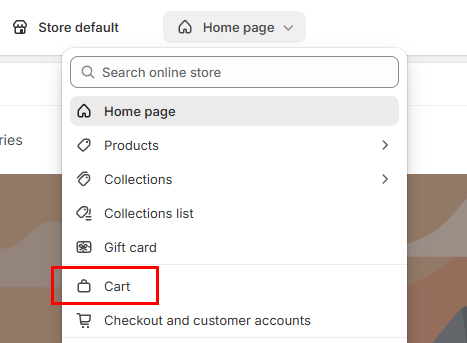
Locate and edit the
CART PAGE
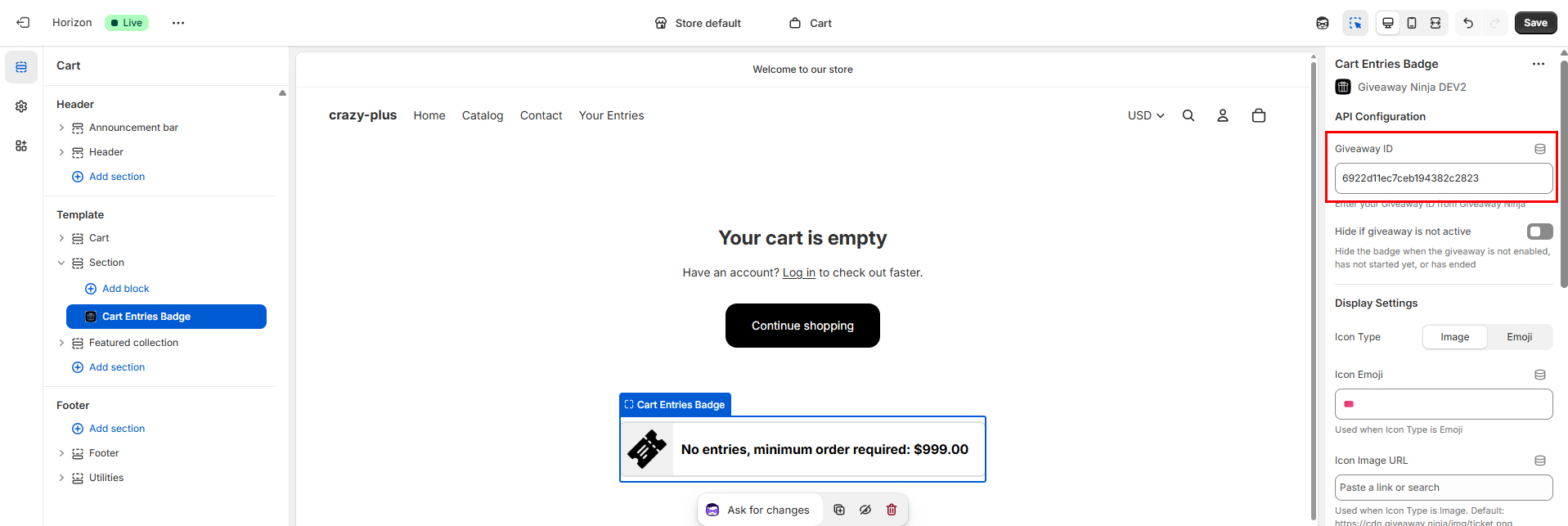
Click on
Add section
on the position where you want to place the badge
Switch to
Apps
and locate the
Cart Entries Badge
Enter the
Giveaway ID
(you can retrieve it from the Giveaway Editor, under the Global Settings tab)
Need Setup Help?
On-site entry badges
Entries badge on collection grids
Entries badge on product pages
Entry counter in the cart drawer
Checkout and thank you badge
 GET STARTED